Website Search
Find information on spaces, staff, and services.
Find information on spaces, staff, and services.
My Bibliography users recently discovered that many of the citations they thought had received PMCIDs and become compliant with the NIH’s public access policy have instead stayed noncompliant and began presenting with the status note that the “Citation is Embargoed in the PMC.” Not only is this note confusing as the publication appears to have met the terms of public access compliance by having a PMCID, but there doesn’t seem to be an easy way to fix this status.

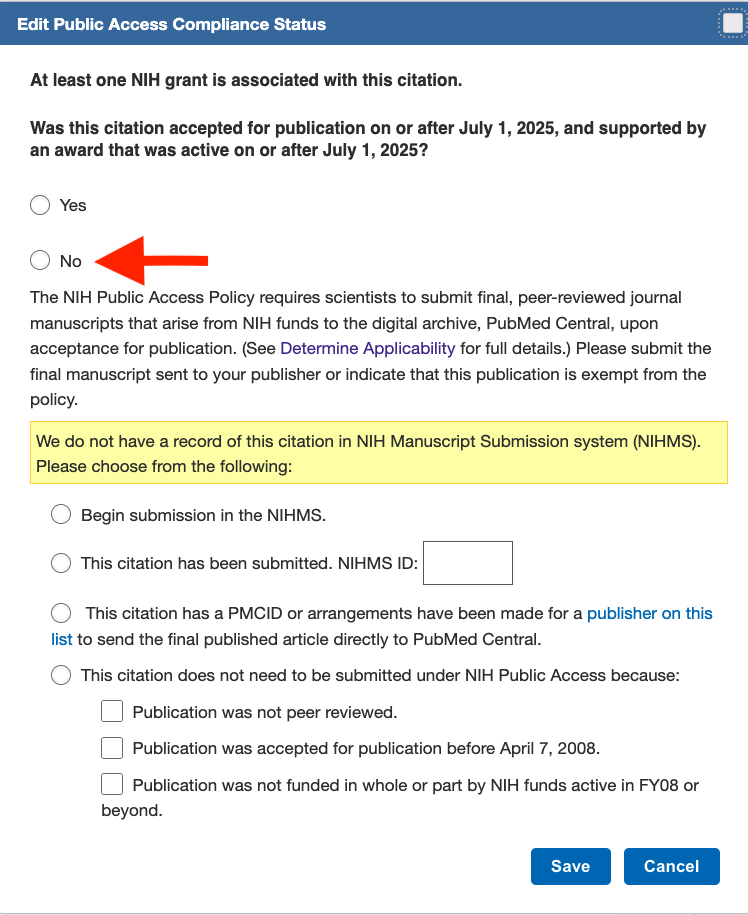
The origin of the Embargoed status note is the July 1, 2025, update to NIH public access policy. Following the update, a question about the date of the manuscript’s journal acceptance was added to to the Edit Public Access Compliance Status pop-up box. If this Yes/No question isn’t answered before the publication receives a PMCID, the citation will stay noncompliant regardless of the real status.
According to the NIH Service Desk, to change the status of the citation to compliant (green):
1. Click on the Edit Status link in the citation’s Public Access Compliance field
2. In the Compliance Status pop-up box select “No” for the answer to the acceptance date question regardless of the actual date
3. Select the radial for the “This citation has a PMCID” statement
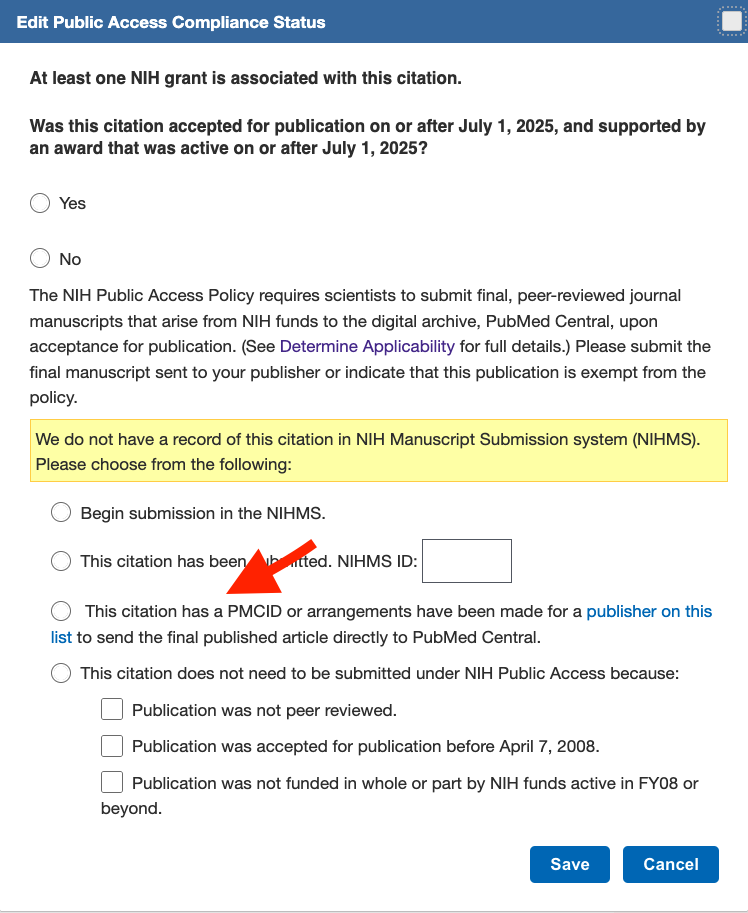
4. Save
The citation’s status should change to green and compliant.
Have other questions about your My Bibliography? Contact the PAS at publicaccess@wisc.edu.